Create Your Own Rating System: From Setup to Reporting
 Updated
by
Amy Thomas
Updated
by
Amy Thomas
Set up a custom rating system for you and your team to gather feedback from the hiring team in one place.
Create a rating system
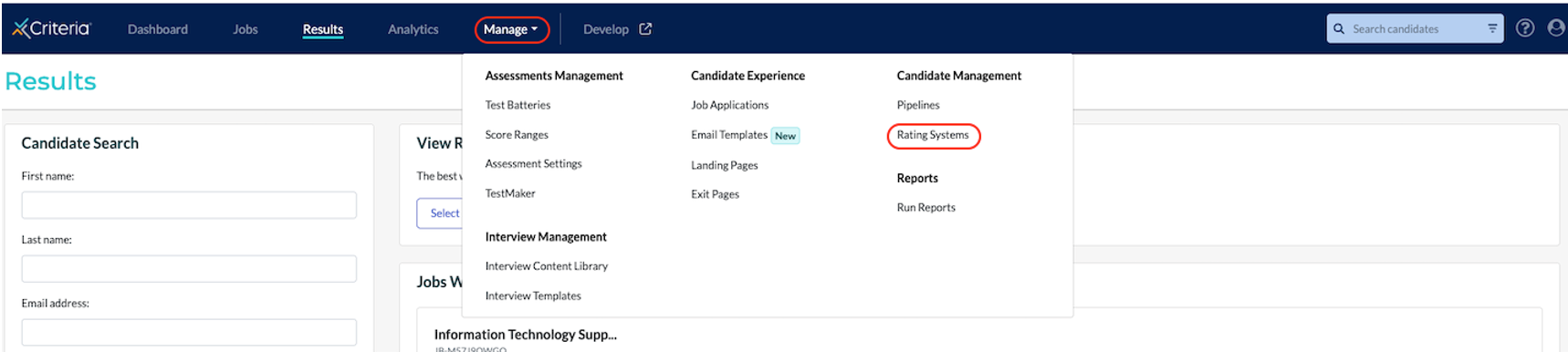
- Click Manage in the top navigation bar, then click Rating Systems under Candidate Management.
- Click Create Rating System.
- Enter a name for your rating system.
- Select a Rating Type to use to rate your candidates.
- Stars: options from 1 to 5
- Thumbs: options are thumbs up or thumbs down
- 1-10: options from 1 to 10
- Select a Rating Permissions option. Our recommended Default permissions mean that users must rate a candidate before they can see anyone else's ratings for that candidate.
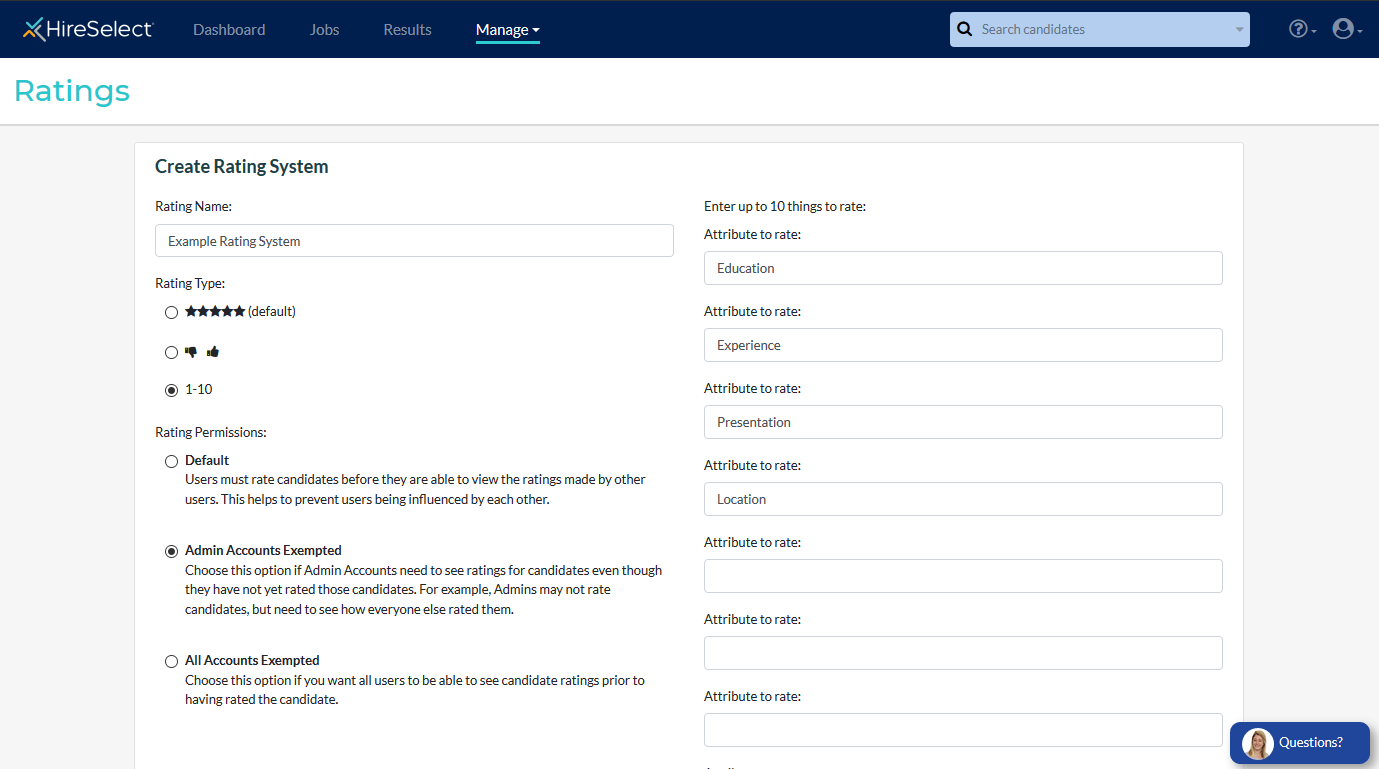
- If no attributes to rate are added, the rating will only be an Overall Rating.
- After saving this rating system, you can apply this rating system to any of your jobs.
Apply the rating system
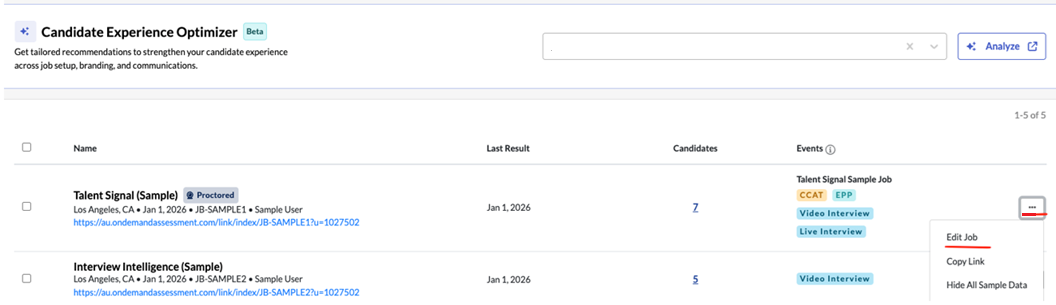
- Locate the job you want to update and click the three dots (⋮) menu and select Edit Job.
- Click on Advanced Settings.

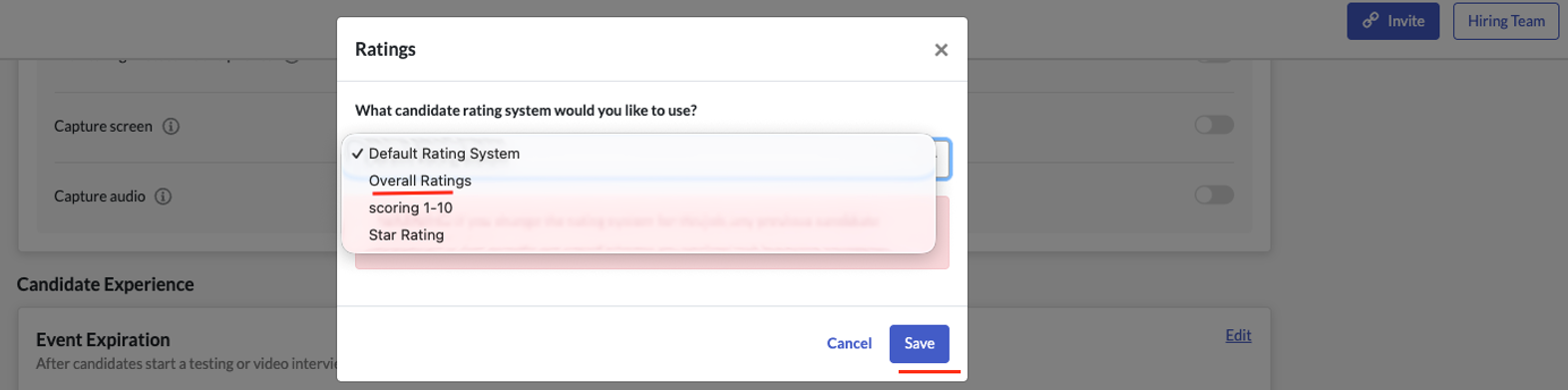
- Under Results Management, locate the Rating System section and click Edit.
Note: You will see which Rating System is currently configured for this job. By default, the Default Rating System is automatically applied to all jobs. - From the dropdown menu, select the Rating System you want to apply to this job. Click Save to confirm your changes.
Rate your candidates
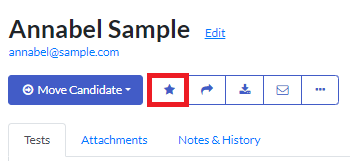
- To rate a candidate's suitability for the job, open the candidate card.
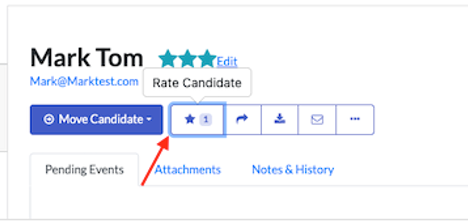
- Click the star icon.
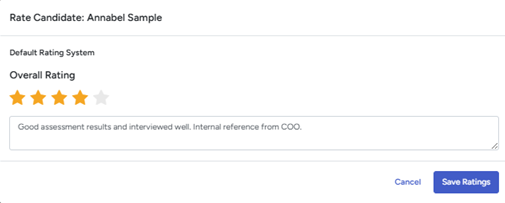
- Complete the fields and click Save Ratings.
View candidate ratings
Candidate Ratings can be viewed in multiple places depending on how much detail you need.
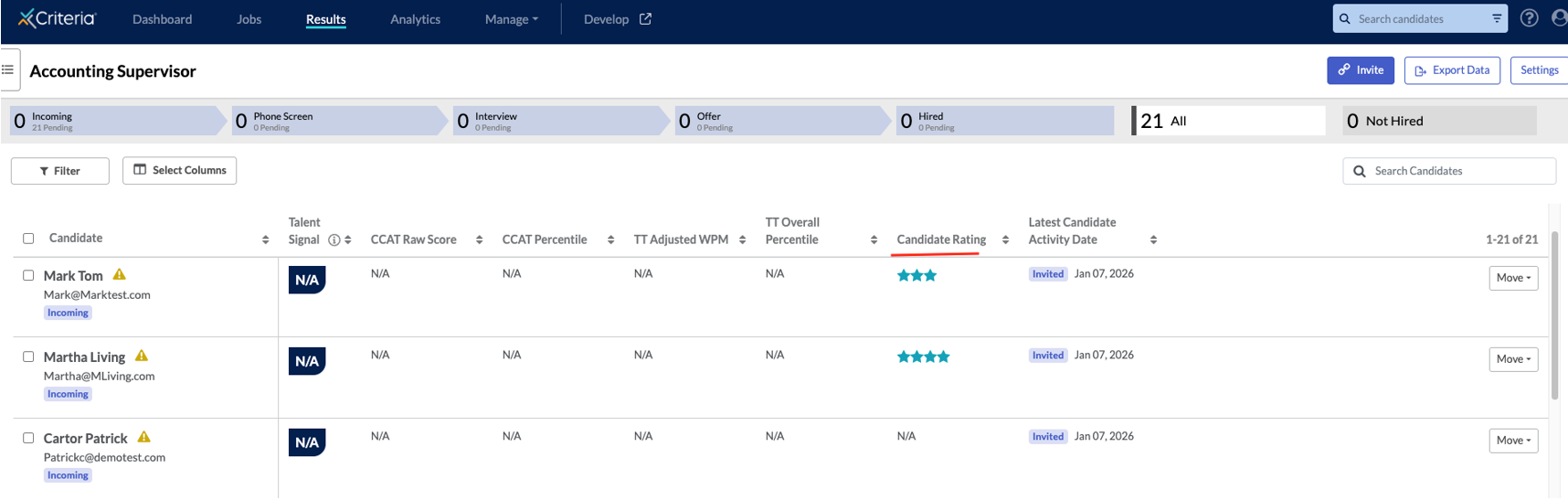
Job Pipeline View
A dedicated Candidate Rating column displays each candidate's Overall Rating at a glance directly on the job pipeline.
Candidate Card
When you select a candidate, their rating is displayed right next to their name for a quick overview.

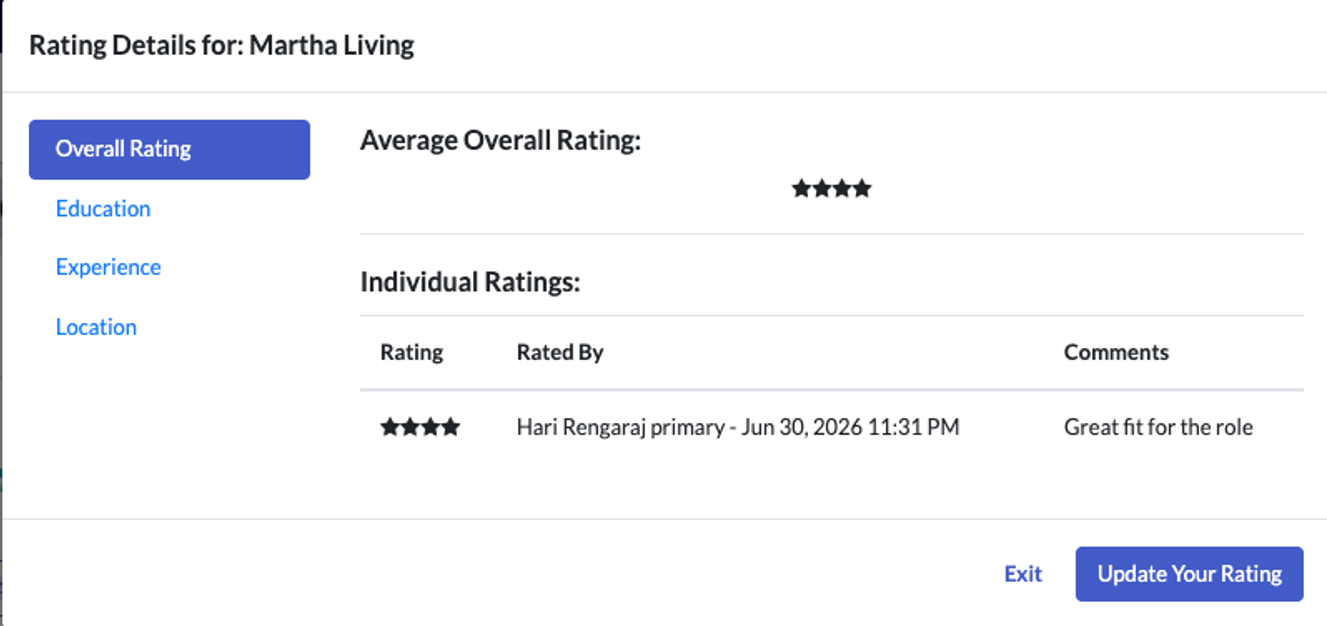
Click on Rate Candidate to view the full detailed ratings, including:
- Individual attribute ratings
- Comments and feedback from the hiring team
- Full breakdown based on the Rating System configuration applied to that job
View Ratings via Report Builder
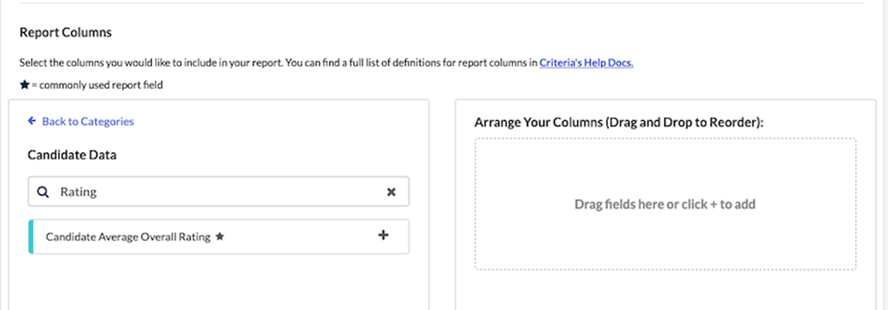
Want to analyze candidate ratings across multiple jobs? Use the Report Builder to create a custom report! Run the report to view average ratings across all your candidates.