Common Questions About Video Interviewing
 Updated
by
Amy Thomas
Updated
by
Amy Thomas
Successful interviewing requires thoughtful planning around question design, technical setup, candidate communication, and evaluation criteria to ensure a fair and effective assessment process. The following frequently asked questions will assist with implementing interviews that enhance your recruitment strategy while providing candidates with a positive experience that reflects well on your organization.
General
What is video interviewing?
Our video interviewing tool gives you a simple and efficient way to conduct first round interviews, replacing the traditional phone screen or first face-to-face interview. You can see and hear numerous candidates answering your pre-set questions in a matter of minutes. It’s a fast and effective way to build a high- quality shortlist so your people can focus their time and energy on the most promising candidates. Candidates can complete their interviews anywhere on any device. Evaluators can review and rate interviews from anywhere in the world, 24/7.
Who is structured interviewing for?
✅ Customers who already use Criteria assessments and want to add another reliable data point to help them make a more informed selection decision.
✅ People with remote or hybrid teams.
✅ People looking for a way to save the time spent on phone screens - which includes interview times and scheduling effort. We recommend using video interviews (in most cases) to replace phone screens, which avoids the hassle of scheduling, dealing with no shows, and the time interviewers need to spend on each call.
✅ People who understand the benefits of structured interviews. When combined with cognitive aptitude testing, you're getting the fastest, most accurate prediction of future job performance.
✅ People who want to present their brand positively and give candidates a real feel for what it's like to work for them.
Why should I include video interviewing in my recruitment process?
In general, if you are looking to reduce the time you spend on early screening and get reliable and accurate data about your candidates to help inform your selection decision, you should consider adding video interviewing to your recruitment process. But it's also particularly useful for:
🎯 Bulk or graduate recruitment exercises, which have a large candidate pool - this helps you shortlist more quickly and present a modern and engaging candidate experience.
🎯 High recruitment volumes, for the reasons listed above.
🎯 Clearly providing a fair and standardised recruitment process. One of the reasons structured interviews are under utilised, despite the fact that they offer a much more reliable way of predicting candidate performance than an informal or unstructured interview, is that they can often feel staged and tedious when conducted live. Video interviews will help you adopt a fairer approach by ensuring every candidate is asked the same questions and evaluated according to the same criteria.
🎯 Promoting DEI (diversity, equity and inclusion) - this helps you to ensure all candidates have an equal opportunity to showcase their abilities, and also reduce unconscious bias during the selection process.
How is Criteria's Video Interviewing different to doing an interview using Zoom or another online meeting platform?
Our video interviews are asynchronous or pre-recorded, so you can evaluate and compare candidates quickly. Each candidate can complete their interview at a time and place that suits them, and your evaluators can review them when it suits them best.
Our tool also ensures that every candidate has the exact same experience in terms of the questions they’re asked and how they’re evaluated, providing a more consistent and fair experience. Even with the best of intentions, interviews that are conducted "live" can go off on tangents as interviewers try to ensure candidates feel comfortable and that the process doesn't feel too contrived or tedious.
While you can conduct live interviews with your candidates using Zoom or similar, it takes more time, can often be less standardised, and you won’t get access to the same evaluation tools as our video interviewing platform offers. It can also be difficult to collect and collate evaluations for each candidate using a tool like Zoom, while our video interviewing platform is specifically designed to allow evaluators to quickly and easily assess each candidate across a predefined set of criteria.
What kind of completion rates can we expect with video interviews?
We've seen completion rates of 90%+ with our video interviews. We've streamlined our video interviews to be convenient and appealing for the candidate. Being able to complete the video at any time and on any device along with access to 24/7 candidate support contributes to a higher than 90% completion rate.
How do I add Structured Interviewing to my Criteria account?
Please contact your Customer Success Manager to discuss adding Structured Interviewing to your Criteria account.
Setup
How does one-way video interviewing work?
Here is a brief overview of the process:
1️⃣ Hiring teams set up interview questions to a job role they are wanting to fill and invite candidates to respond.
2️⃣ Candidates record their responses using their laptop and webcam or any compatible mobile device.
3️⃣ Hiring teams can instantly review these interviews in their own time and share these videos for additional feedback before shortlisting selected candidates to move forward to the next stage.
Can we prevent candidates from completing video interviews more than once?
Yes. You can use Event Restrictions in Company Preferences to prevent candidates from completing assessments or video interviews again within a defined period (and optionally restrict per job). Note however that the Reuse Results function only affects assessments, not video interviews.
Can I cooy a candidate's video interview results to a new job?
No, video interview results cannot be reused. Candidates must complete each video interview they’re invited to.
How do we create our own interview template (questions and messages)?
First, build your custom questions and messages in Manage → Interview Content Library.
Next, create the template in Manage → Interview Templates. Add items from your Interview Content Library, arrange items, and set scoring types for video interview templates.
Can we change the settings for each question in a video interview template?
Yes, in the video interview template you can adjust:
• Scoring Type
• Prep Time
• Answer Time
• Attempts (default is 1; written-response questions are limited to 1 attempt)
What video interview template options are available?
When creating a job, you can select:
• Criteria Recommendation (recommended questions are based on the occupation you selected).
• Saved Video Interview Templates (templates you previously created).
• Create New Template (note: this takes you to Interview Templates; your job creation progress won’t be saved if you do this mid-creation).
Can we have a mixture of human evaluated questions and automated scoring questions in the interview?
Yes, you can choose how each question will be scored: by humans, by Criteria's IIQ (Interview Intelligence) or unscored. Your interview template can contain all human scoring questions, all automated scoring questions, or use hybrid scoring (a mix of scoring types).
How do we add a video interview to a job (and/or add it to an existing job)?
You can add video interviewing when you create a job by selecting Video Interview as an evaluation tool, then selecting a Video Interview Template and configuring scoring/evaluators as needed.
To add a video interview to an existing job, go to Jobs → … More Actions → Edit Job. In Evaluation Tools click Add (or Edit) next to Video Interview, complete the details, and click Save.
How do we control who can evaluate interviews?
Evaluators will need access to an email account in your approved domains list in order to access video interviews. They will also need to either be added to your account as a user or have an interview link shared with them.
Within the job, jou can use either (or both):
• Pre-assigned evaluators: add evaluators as users in your Criteria account (and share the job as needed), then assign them in the job.
• Evaluator Self-Assignment: share evaluation links so guest evaluators can verify by email and begin reviewing without being created as platform users.
If we use Automatic Scoring (IIQ), do we still need to select evaluators?
No, for automatically scored interviews, there are no evaluators to select—you can continue without assigning evaluators.
If your interview template uses hybrid scoring, you will need to select evaluators (or provide evaluators with the self-assignment link), so they can evaluate the human scoring questions.
Candidate Experience
How are video interview questions presented and how should candidates respond?
Questions are presented to candidates in written form. When you create a question in your Interview Content Library, you can choose to also record a video of the question for your candidates to watch.
When creating the question, you will need to select how candidates are required to respond to it. Human Scoring questions can use these response types: Video, Written, or Document upload. Automated Scoring questions require a video response as Criteria’s AI only evaluates video responses.
Can we customize invitation emails so candidates understand it’s a video interview?
Yes, in fact we recommend creating a custom email template with branding and instructions specific to your organization and to the task you are inviting candidates to commplete. Note: the default invitation email refers to “assessments”, which can confuse candidates invited to video interviews.
Can we send SMS invitations/reminders for video interview invitations?
Yes, if SMS Invitations and Reminder is enabled in Company Preferences, you can send SMS during the invitation process (with your candidates' consent).
It's already challenging attracting good candidates. Won't this add friction to the recruitment process?
In today's remote and hybrid working world, candidates are increasingly familiar with online and virtual hiring methods. Video interviews give you a great way to showcase tyour brand and provide a great experience for candidates. Most candidates also expect to complete a phone screen as part of the recruitment process, so this is just a different way of performing that function. It also lets them see that you've adopted a fair and standardised recruitment process that gives all candidates the same opportunity to showcase their talents.
We recommend giving candidates as much information about you and your recruitment process as possible, so candidates understand why you’re doing this and that you’re committed to a quality process. Video (and assessments) can be a very efficient way of identifying the most qualified applicants so you’re not wasting your hiring team’s - or the candidate's - time. There's also the added benefit for candidates of completing their interview in a time and place that suits them so they don't have to adjust their schedule or take time off from their current job to attend their interview.
What do candidates think about video interviews?
Candidates respond very positively to video interviews because they see these interviews as flexible, convenient and they provide them with an opportunity to make an impression beyond their resume. With one-way video interviews, the candidates can complete the interview at a time that is convenient for them and they can also choose where to take the interview. They don't have to take time out of their busy work schedules and they can also be provided with the opportunity to prepare for the interview.
What are some of the ways we can really enhance the candidate experience?
✅ Give candidates as much information and context as possible, including why you’re asking them to complete a video interview.
✅ Think through the structure of the candidate experience – what process do you want to take them through?
✅ Make the experience as personal and user-friendly as possible.
✅ Make sure the process is clearly fair and equitable, including the option of reasonable adjustment so candidates can perform at their best of their ability.
How can candidates prepare to complete the video interview?
If the video interview includes any questions where the candidate must record a video response, they will see:
• A Systems Check to ensure their camera and microphone are set up correctly.
• A practice question, which we recommended candidates complete to confirm their hardware setup and check their background. This question can also help put candidates at ease and demonstrates what they can expect from the real interview questions.
What are the setup/technical requirements for candidates?
Candidates can complete the interview on any type of device that has a camera and microphone. Candidates should check that their operating system and browser are up-to-date.(Note: older devices may not support the video interview.)
They should also have:
• A reliable internet connection (stable enough for a video call).
• Awareness that some public/workplace networks and VPNs may block video connections due to firewall restrictions.
Evaluations and Results
What is Evaluator Self-Assignment, and how do Approved Domains work?
When enabled, Evaluator Self-Assignment allows anyone with an evaluation link to evaluate a candidate's video interview, without first being added as a user to your Criteria account.
Approved Domains enable you to control who can access your candidates' video interview responses. These are set in your Company Preferences to control which email domains are allowed to access shared interview/evaluation links.
Do self-assigned/guest evaluators get automatic notifications when candidates complete interviews?
No, guest evaluators do not receive automatic notification emails. Your team shares evaluation links when candidates are ready for review.
Can guest evaluators access all candidates in the job or only specific candidates?
You can control whether your guest evaluators can only see a specfic candidate or all candidates in the job with Multi-candidate Evaluation Links. This can be toggled on or off in the job's settings.
• On: guest evaluators can access all candidates in the job.
• Off: you control access to specific candidates.
How can we reduce potential bias?
In the interview settings in the job, you can configure evaluator options such as:
• Hide video
• Hide personal details
• Disguise voice
• Hide feedback messages
By default, these options are toggled off for all evaluators.
Can we view transcripts and AI summaries?
Yes, if Interview Intelligence (IIQ) is enabled, you can view a Transcript and an AI Summary. These are based on the transcript (not the recording itself).
How are video interviews scored?
When setting up your video interview template, you can choose how each video interview question is scored:
• Human Scoring: your team evaluates the candidates' responses.
• Automatic Scoring: Criteria’s IIQ (Interview Intelligence) scores the interview responses.
• Hybrid Scoring: a mix of human-scored and automatically scored questions.
Can we share video interview responses with others?
Yes, you can share video interview links. There are two options:
• View Video Interview Responses: enables the recipient to view the responses but not to add any ratings or comments.
• Evaluate Video Interview: the evaluation link for evaluators or self-assignment (where enabled).
Can we download video interview results?
Yes, you can download the results as a spreadsheet using the Interview Data Report or Report Builder. A pdf of the Summary and Score Reports can be downloaded directly from the candidate card or by using Bulk Actions in the candidate list.
Technical
My candidate reported that the recording started straight away and they did not have any time to prepare. Is there a problem?
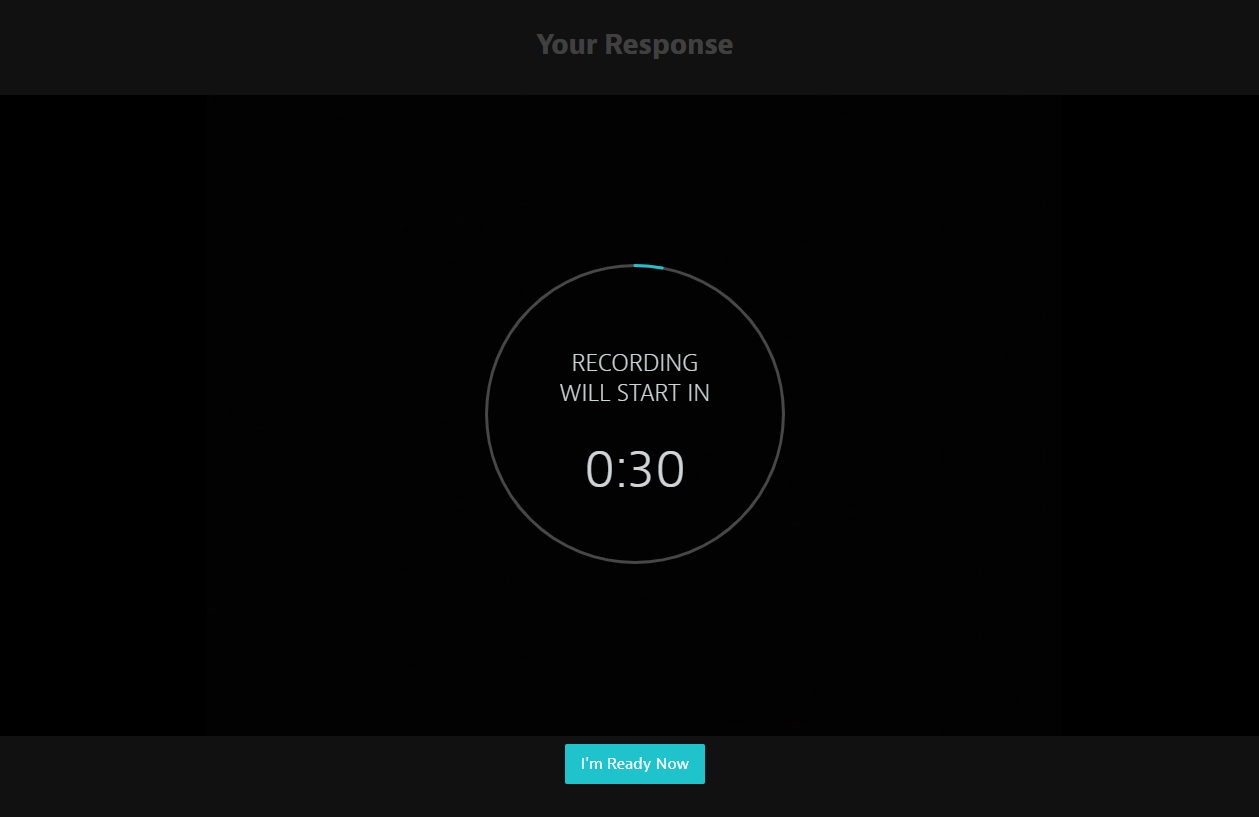
When you create a question that requires a candidate to provide a video response, you set time for candidates to prepare what they want to say before the recording starts. In the video interview, the candidate has the option to skip the prep time, if they are ready to answer the question.
It's possible that your candidate accidentally clicked the I'm Ready Now button, which triggers the recording to begin. If you wish, you can invite your candidate to complete the video interview again. We suggest advising the candidate to only click that button if they are ready to start their answer. If the button is not clicked, the recording will only start once the full prep time has lapsed.
What support can candidates get if they have problems completing their interview?
Candidates can access 24/7 support via the chatbot throughout the interview process, where we provide first level troubleshooting (for example, helping candidates resolve issues such as the video interview picking up the wrong camera). More complex issues are escalated to our Support team for action.
If a candidate has technical issues, how do we re-administer a video interview?
You can invite the candidate to complete the video interview again by creating a new invitation. How you do that depends on where video interviewing sits in your pipeline. View our how to guide to learn more:
Learn more
Explore our structured interviewing help guides:
