Release Candidate Scores
 Updated
by
Amy Thomas
Updated
by
Amy Thomas
You have invited a candidate to complete some assessments as part of the application process. The candidate has completed some of the assessments but not all. You want to view the results for the assessments the candidate did complete, to help you determine how to proceed with this candidate's application.
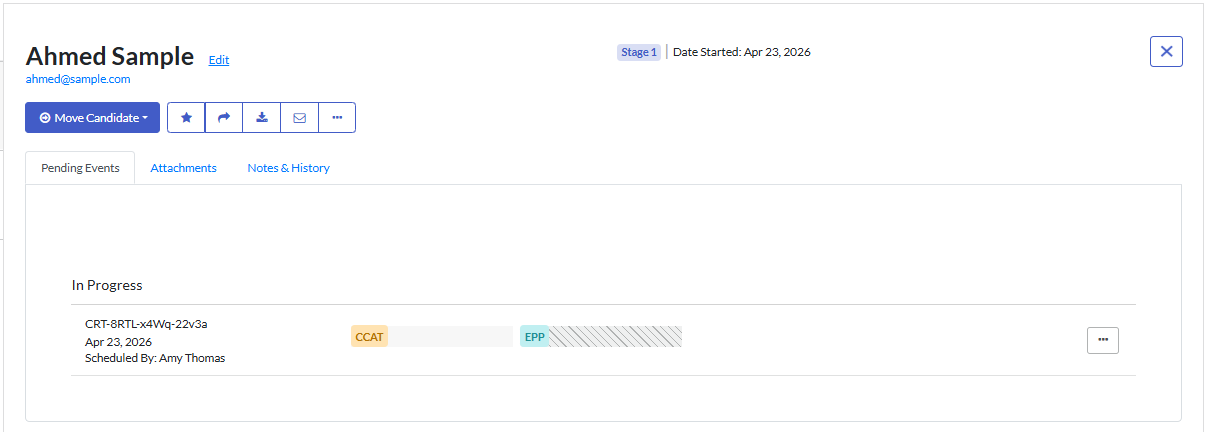
- Locate the candidate's card in the Results page within the job. Go to the Pending Events tab.
- Assessments that have been completed will be displayed as a white rectangle. Assessments that have not been completed will have diagonal lines through the assessment rectangle. In our example, the candidate has completed CCAT but not EPP.
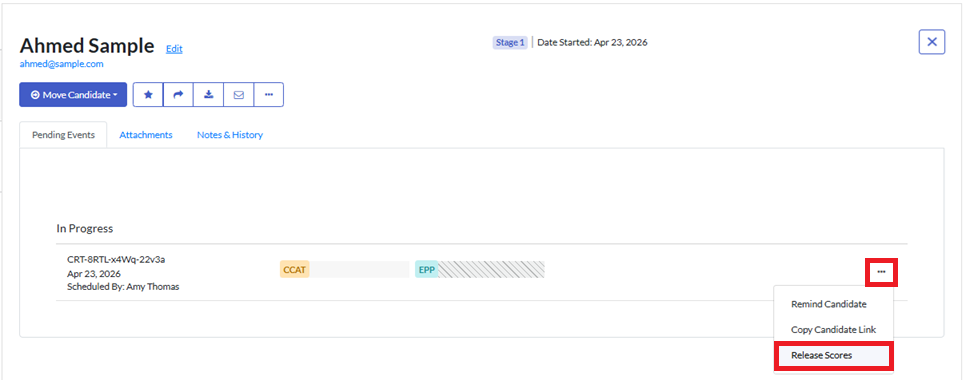
- Click ... More Actions, then select Release Scores from the dropdown menu.
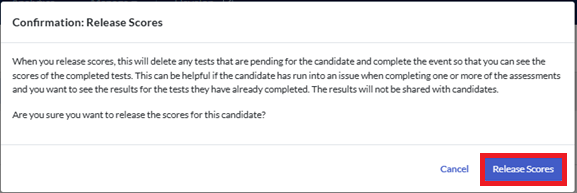
- Click Release Scores in the popup message.
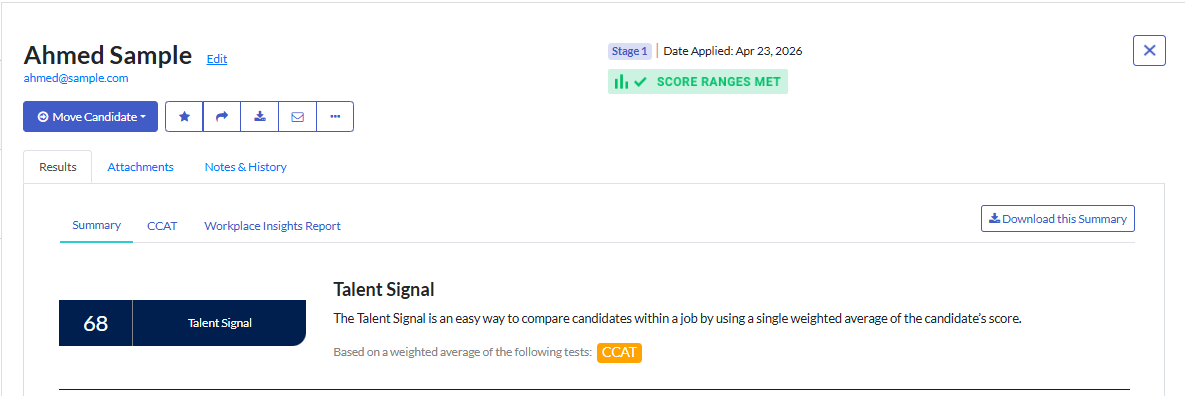
- Any tests that the candidate has not yet completed will be deleted from the Event and the results for the tests they did complete will be made available to you.
If you would like the candidate to complete any of the assessments they did not finish, you can reinvite the candidate from within the same candidate card.
